The emphasis in grades 4-8 in the Shawano School District has shifted to podcasting.
At Shawano Community Middle School, Jim Weber, senior specialist for Apple Professional Learning, guided students and teachers in enhancing their daily announcement productions from the room known as the News Nest. Using the GarageBand app, students recorded podcasts, added music and sound effects for authenticity, and utilized Apple Pages to create professional-quality scripts. They were also introduced to the Voice Memo app.
Middle school English teacher Anne Beck said the experience helped her seventh-grade students produce a podcast that was “an innovative, collaborative digital project that demonstrated remarkable engagement and real-world application.”
“The project encouraged students to work together while creating digital content, mirroring professional workplace practices,” Beck said. “It enhanced student engagement through peer collaboration, developed critical problem-solving skills, provided real-world digital communication experience, and created opportunities for self-assessment and revision.”
At the high school level, Weber worked with teachers during an in-service session, covering a range of topics, including the tools and capabilities of the Safari browser, using an iPad camera to create PDF files and exploring the features of Numbers, Apple’s spreadsheet app.
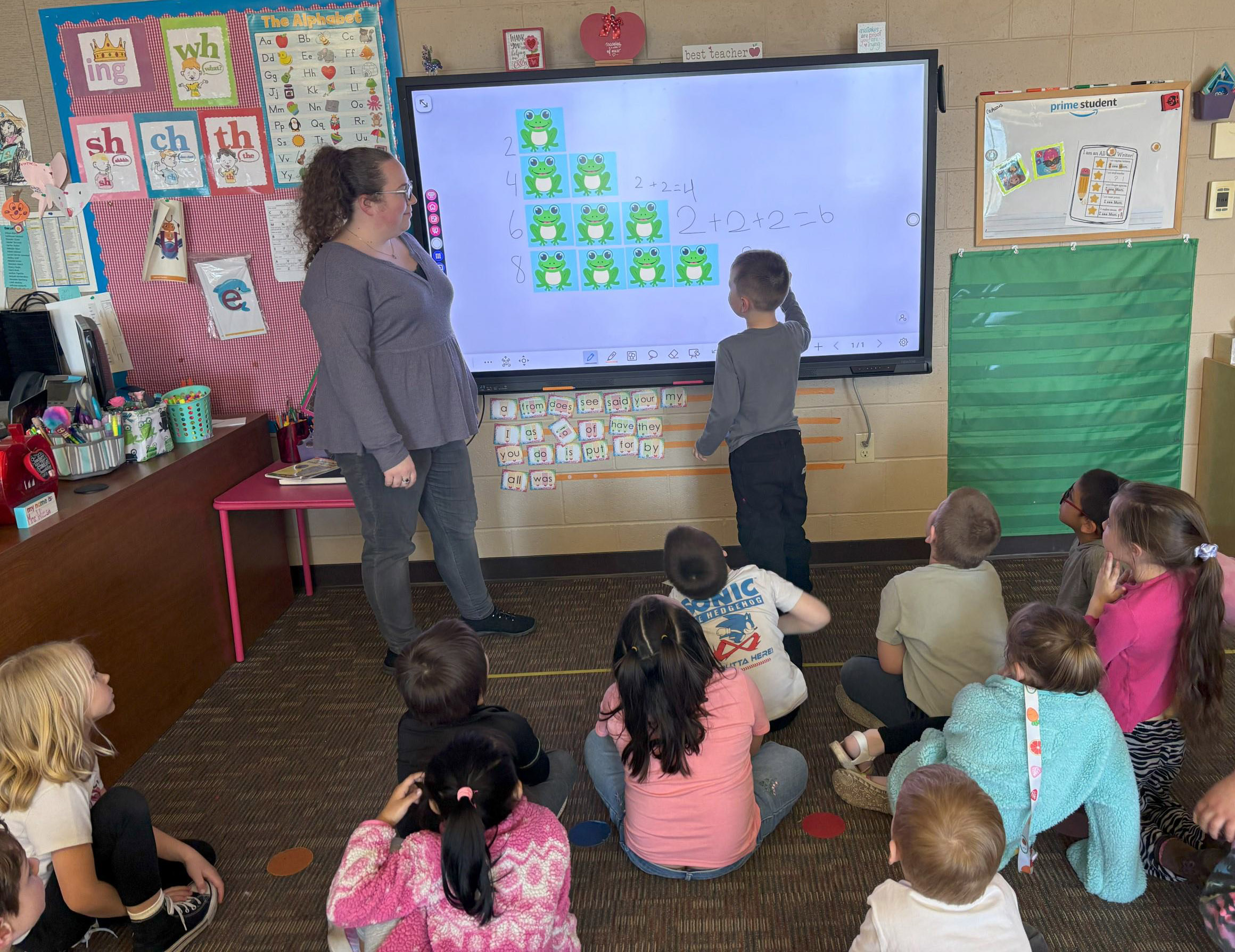
The boards had previously been used in Shawano Community High School’s technology education classrooms and piloted at Hillcrest and Olga Brener last spring. The remaining panels were installed last summer, with staff receiving training during professional development sessions.
Kindergarten teacher Heather Wiese said the panels have “greatly enhanced” her instruction. Unlike traditional setups, where students were confined to a single space, they can now sit anywhere in the room while still clearly seeing the screen. The panels also encourage interactive learning, allowing students to engage individually or collaborate with peers.
“I am able to step back and watch them take on the role of teacher, helping each other grow and learn,” Wiese said. “Students are more invested when they take ownership of their learning, and the interactive flat panels have made that more accessible for all students.”
The panels include built-in tools such as a timer and an overlay feature that allows teachers to interact with anything displayed on the screen. Wiese also appreciates that all of her resources are in one place, eliminating the need to switch between her SmartBoard and computer.
Her students have noticed the shift, too. At the beginning of the year, one student asked why she wasn’t at her computer as often. Wiese responded that teaching her students was more important. Later, the same student told her, “I know you really care about our learning because you’re never at your computer.”
Podcasts transform reading, writing instruction